Broadband Upgrades
Exciting News! We’ve changed broadband provider. Yes, I know, yawn, yawn, that’s not news, it’s just common sense to change now and then to save some money, but it does come with a few new ‘upgrades’. We were fortunate back in 2016, despite living in the middle of nowhere, we were one of the first places to get fibre direct to the property (FTTP). At the time, we could only use it with BT as the provider so we’ve been with them ever since and were a little reluctant to change as things were working well. We had a super-fast connection and a decent set-up. The price however had crept up over the years and was beginning to get ridiculous as it edged close to £70 a month. We could have saved money by dropping to a 500Mbps speed service, which would be plenty, but when you’re used to faster, that seems like a backwards step.
So, it was time to jump ship to a Vodafone package. The same speeds, but at half the price. It did mean we no longer had a 4G backup as part of the package, but with 5G on our phones and hot-spotting that wasn’t really needed anyway.
Changeover
The changeover was smooth. We were sent a new router and Wi-Fi booster, plugged it in on swapover day and then had the decision to make. Did we change the SSID and password on the router to match the previous one, or go with a new Vodafone SSID and then update the wi-fi connection on ALL of our devices? The former was the easiest option, but we went with the latter just so that we had a new SSID, partly for a clean start, partly as an excuse to audit what was actually on our network.
With phones, computers, watches, iPads, lightbulbs, smart plugs, vacuum cleaners, bathroom scales, lawn-mowers and various other things such as printers, solar panel inverters and car chargers all connected to the Wi-Fi we were looking at over 50 devices on the network! Yes, it took a while to update the Wi-Fi credentials on all of them!
Faster Wi-Fi
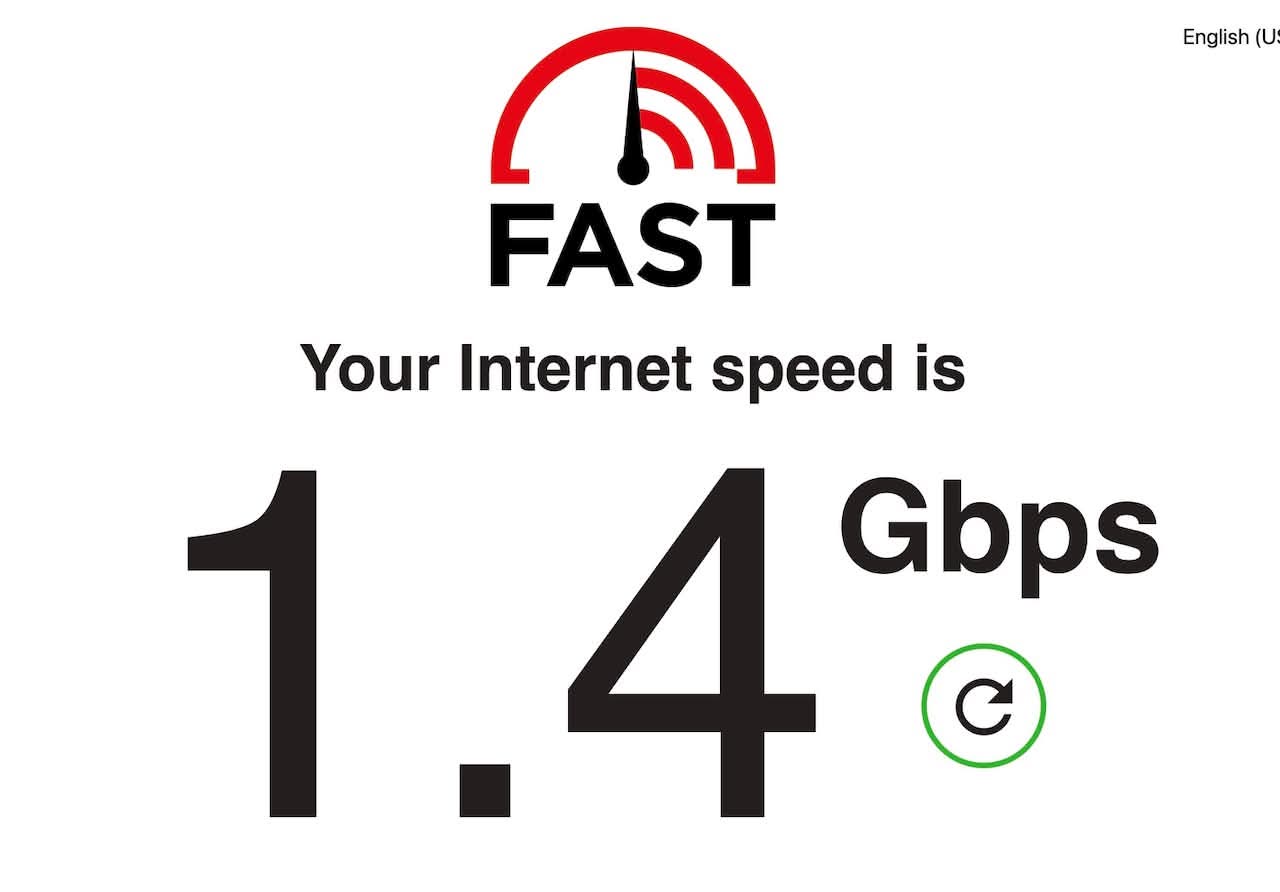
There were one or two advantages to this new network, mainly due to a router upgrade. The new router actually has faster Wi-Fi. The broadband speed into the house remains the same. Previously, devices wired into the router via Ethernet would get download speeds in the range of 1.1 to 1.4Gbps. That remains the same. Devices connected via Wi-Fi however, have seen a speed increase. Real-world speeds on these devices used to top out around 300Mbps, but now speeds closer to 600Mbps.
Compatability Network
The other advantage of the new router is that it allows the SSID to be split into two distinct networks:
- A standard network using the latest security protocols and fastest speeds
- A compatibility network for older or more temperamental devices
Importantly, these two networks are on the same LAN, so devices on them can communicate with each other as if it were a single network. But, it allows devices that were temperamental on the ‘standard’ network to work more reliably.
The upshot of this is that some of our Smart Home devices, which kept losing connection on the dual band 5Ghz/2.4Ghz network, can now be configured to use the compatibility network and should stay connected.
Staying Connected
The main offenders here were my Nanoleaf Shape lights that Anna bought me in 2023. They showed great promise, looked nice, and I had every intention of adding to them at the time. However, we just couldn’t get them to stay connected to the old network.
If we changed the network to 2.4Ghz only, then they would be fine, but everything else would suffer the slower speeds. As soon as we changed the network back to the dual 5Ghz/2.4Ghz band, they would lose connection. So, they were never added to and not really used properly.
This has all changed. The Nanoleaf shapes are now connected to the compatibility network and seem to be holding their connection. Other Smart Home devices on the standard network can communicate with them, and they all seem to play nicely together.
So, yes, you’ve guessed it, it was time for some more Nanoleaf Shapes! More on those soon.
Discover more from A Simple Life of Luxury
Subscribe to get the latest posts sent to your email.